---
description: A short guide on how to download video testimonials
---
# How to download video testimonials?
To download a collected video testimonial, simply head over to your Testimonial wall -> Collected Testimonials Tab -> And then click on Collected Video Testimonials panel
Collected Video Testimonials Download
This would download the video testimonial directly to your local files
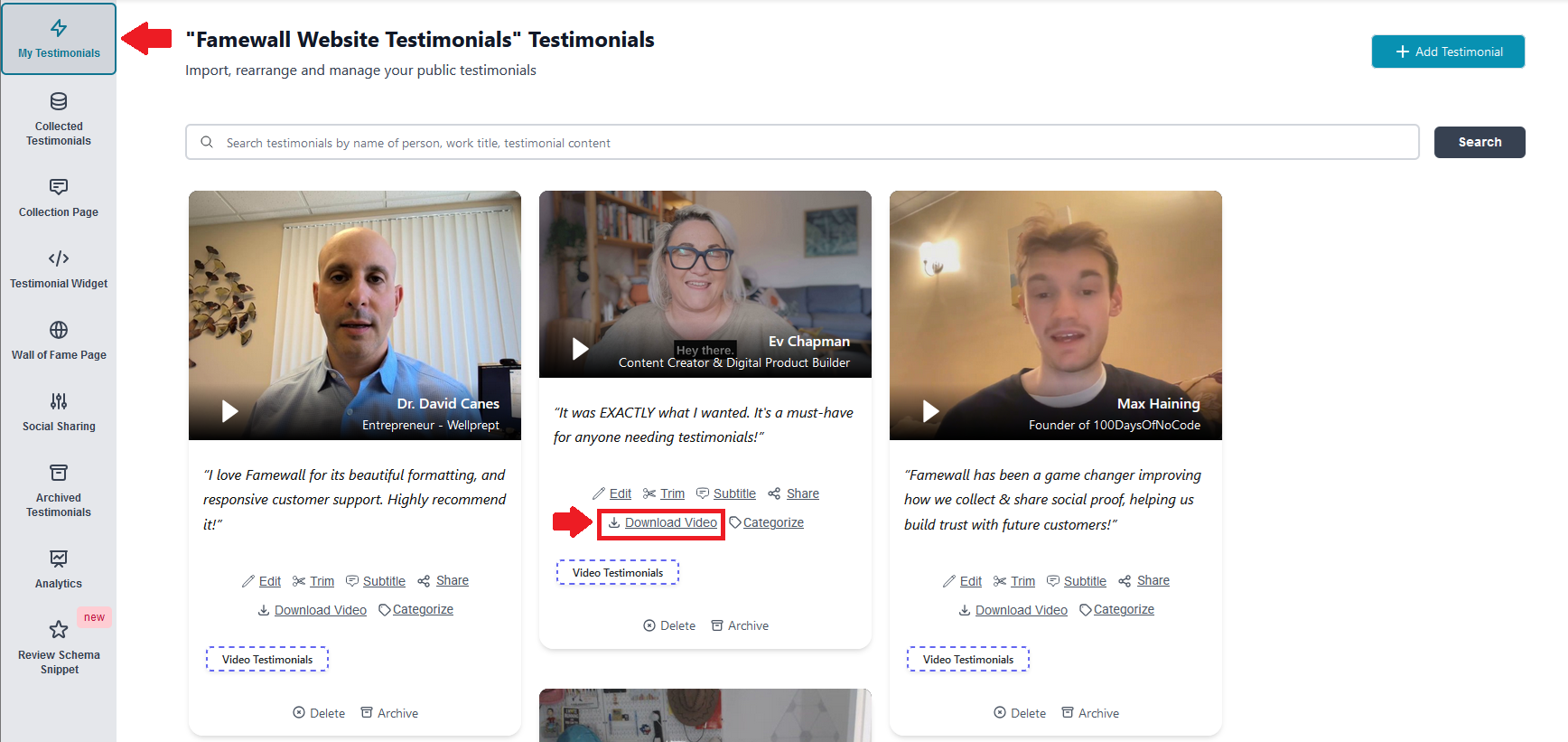
You can also download video testimonials that you imported into Famewall.
For that head over to "My Testimonials" tab -> Click on "Download Video" button on the video testimonial which you'd like to download
.png?alt=media&token=7d4957a1-c0b8-441d-b6dc-3dd18bf8153f)