> For the complete documentation index, see [llms.txt](https://docs.famewall.io/llms.txt). Markdown versions of documentation pages are available by appending `.md` to page URLs; this page is available as [Markdown](https://docs.famewall.io/enabling-review-banner-on-widgets.md).
# Enabling Review Banner on Widgets
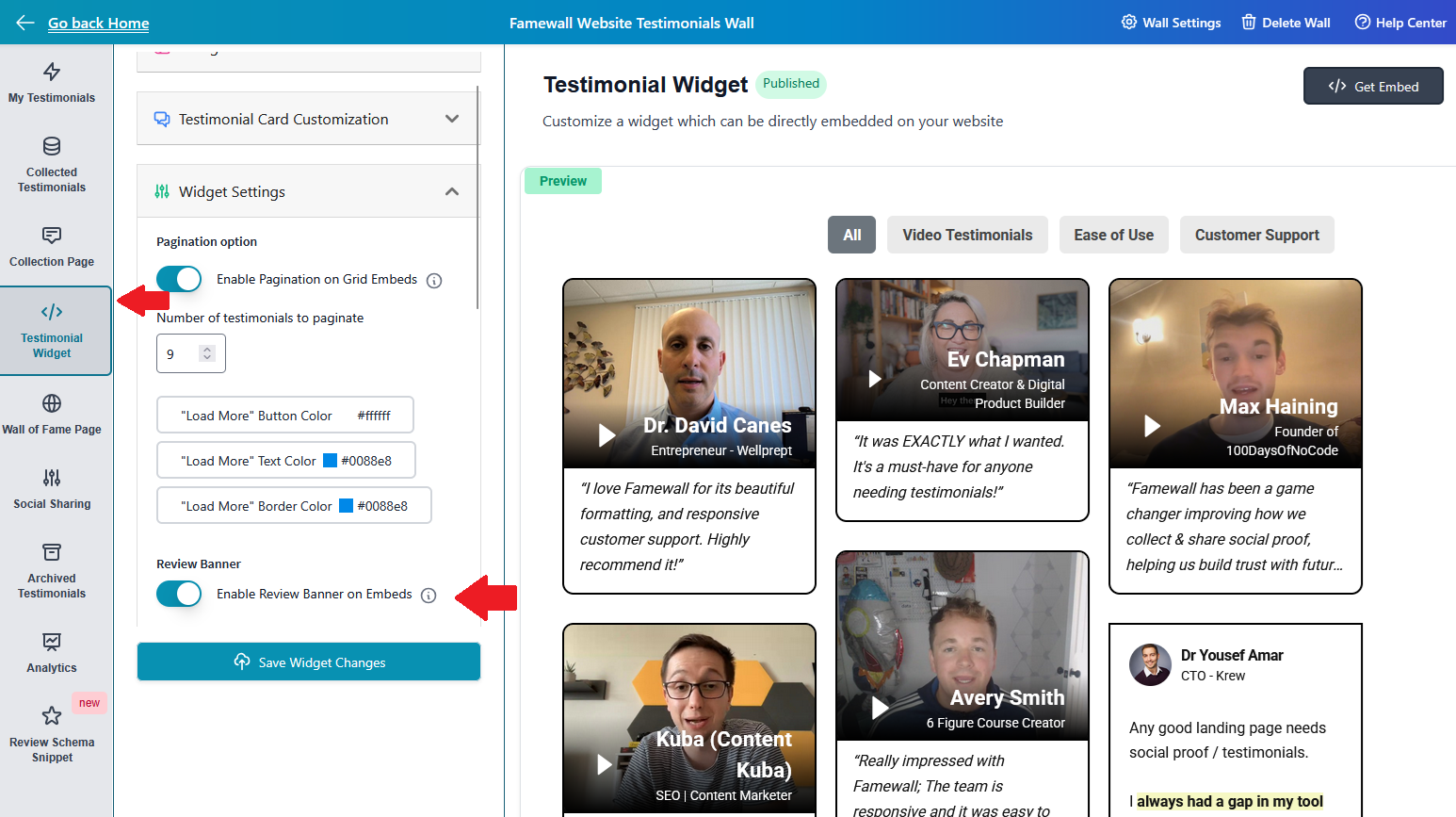
You can enable review banner on your widgets which would display an overview of the average rating of all the testimonials on your wall along with the number of reviews you've received
You can use this as extra social proof
1. Head over to your testimonial wall and select the "Testimonial Widget"
2. Then customize the settings like how you want the message to be displayed
3. Then copy your widget's embed code and paste it on your website and it would appear like this: