> For the complete documentation index, see [llms.txt](https://docs.famewall.io/llms.txt). Markdown versions of documentation pages are available by appending `.md` to page URLs; this page is available as [Markdown](https://docs.famewall.io/collection-page-settings/unpublish-collection-page.md).
# How to unpublish (temporarily close) your collection page
Stop accepting testimonials for a while without losing your collection page settings, and publish the page again whenever you're ready.
Unpublishing turns your collection page off without deleting it. Your settings stay as they are, and you can publish the page again at any time.
## Unpublish the page
1. Open your wall and click **Collection Page** in the left menu.
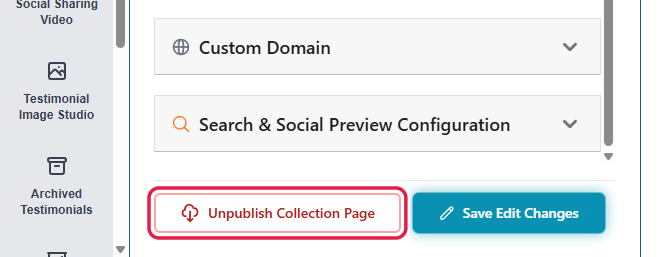
2. Click **Unpublish Collection Page** at the bottom of the settings panel.
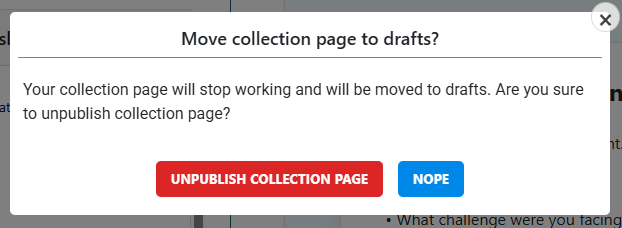
3. Confirm with **Unpublish collection page**.
Unpublish Collection Page is at the bottom of the settings
Confirm to move the page to drafts
The status next to the page title changes from **Active** to **Saved as Draft**.
## Publish it again
Click **Publish Collection Page**. The page goes live again at the same link, with the same settings.
## Good to know
* While the page is unpublished, anyone opening the link sees a loading screen instead of your form. If you've shared the link widely, tell people when it's back, or leave the page published.
* Embedded collection forms on your website stop working too.
* Unpublished pages don't count toward your plan's limit of published collection pages. Unpublishing one page is a quick way to free up a slot for another. See [How many pages can I publish on my plan?](/publishing-sharing-and-branding/plan-publish-limits.md)
* Testimonials you've already collected aren't affected.
## Related
* [Testimonial Collection Page](/testimonial-collection-page.md)
* [How many collection pages, widgets and Wall of Fame pages can I publish on my plan?](/publishing-sharing-and-branding/plan-publish-limits.md)